

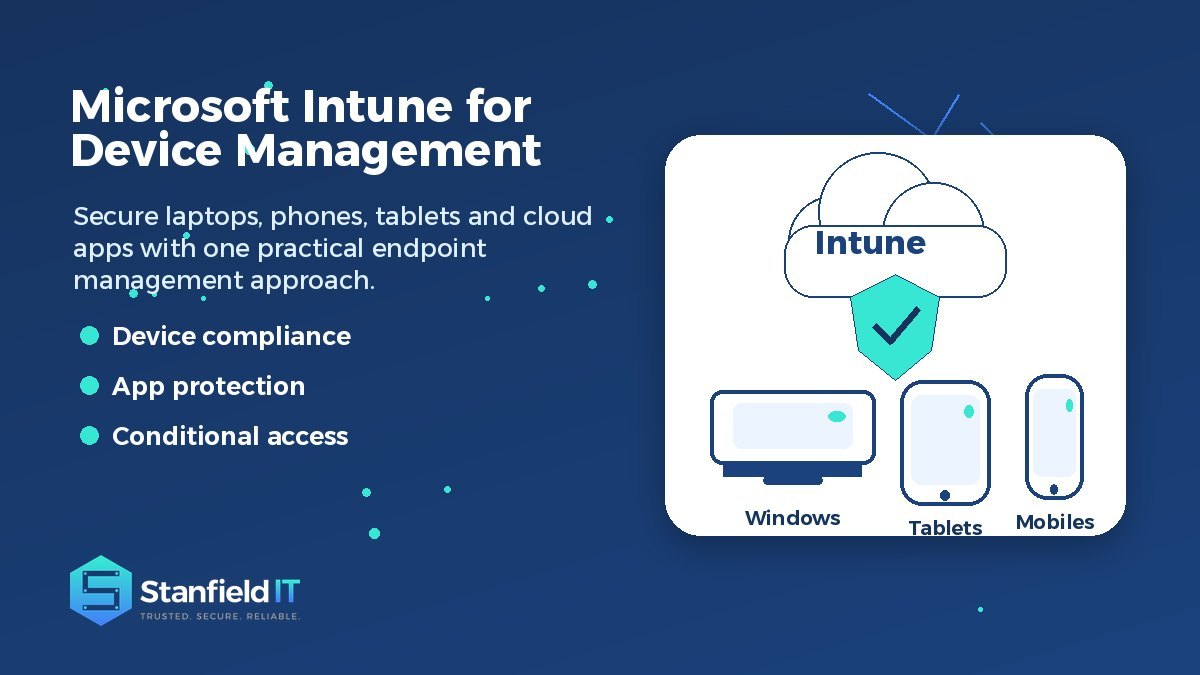
Why Use Microsoft Intune for Mobile Device Management?
Modern businesses rely on more devices than ever before. Staff may use office desktops, laptops, mobile phones, tablets, shared devices and personal devices to access email, files and cloud applications. That flexibility is useful, but it also creates a very real challenge: how do you keep company data secure without making work harder than it needs to be?
Microsoft Intune gives businesses a practical way to manage devices, protect apps and support flexible work from the cloud. Instead of relying only on manual setup or disconnected security settings, it helps create consistent rules for how devices and applications should be used.
For small and medium businesses, this matters because device management is no longer just an IT convenience. It affects cyber security, productivity, compliance, staff onboarding and how quickly your team can respond when a device is lost, stolen or replaced.
What Microsoft Intune does for modern businesses
Microsoft Intune is Microsoft’s cloud-based endpoint management platform. In simple terms, it helps IT teams enrol devices, apply security settings, manage apps and control access to business resources from one central environment.
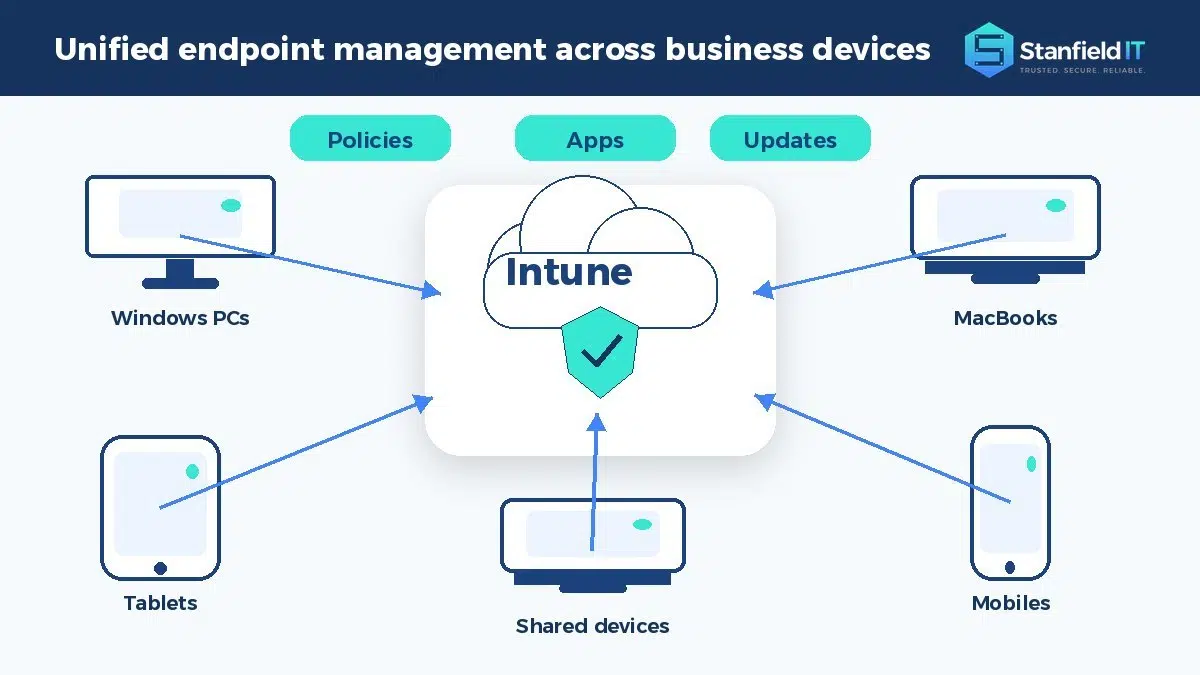
That central approach is important because most businesses are no longer working from one office with one type of computer. A typical team may include Windows laptops, Macs, iPhones, Android phones, tablets and cloud-based apps. Without a consistent management approach, each device can become a separate risk and a separate support problem.
Intune helps bring those moving parts together. It can be used to manage company-owned devices, support bring-your-own-device arrangements, deploy apps, enforce device settings and help ensure that only trusted users and healthy devices can access business systems.
For business owners and office managers, the benefit is not the technology itself. The benefit is having clearer control over the devices that connect to your data, without needing to manually check every laptop or phone.
How Microsoft Intune improves security without slowing people down
Security controls are only useful when they are practical. If policies are too loose, business data is exposed. If they are too strict, staff look for workarounds. Microsoft Intune helps create a more balanced approach by applying rules in the background and checking whether devices meet your requirements before they access sensitive information.
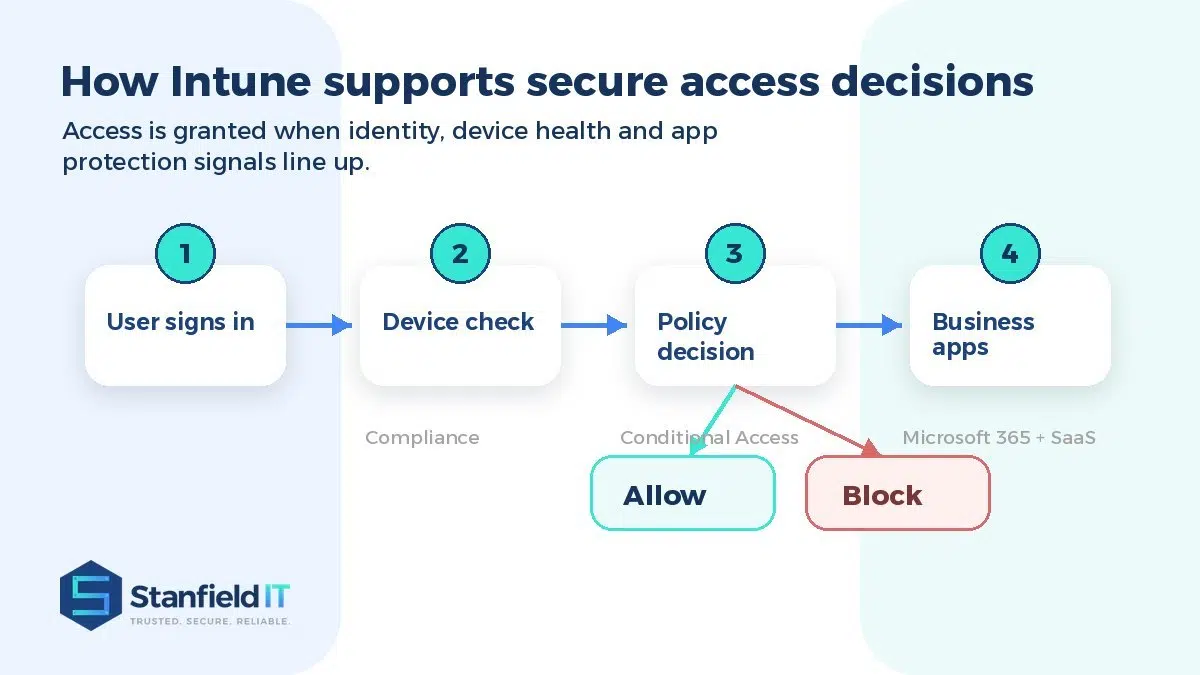
For example, a business can require devices to have a passcode, encryption, current operating system updates and no obvious signs of compromise. If a device falls outside those rules, access to email, files or key business apps can be limited until the issue is fixed.
This is especially useful when combined with identity and access controls. A sign-in attempt can be assessed based on who the user is, what device they are using, whether that device is compliant and what application they are trying to reach. A trusted employee using a healthy work laptop may be allowed in smoothly, while a risky sign-in from an unmanaged or non-compliant device can be blocked or challenged.
Common security controls include:
- Requiring passcodes, biometrics or device encryption
- Blocking access from jailbroken or rooted mobile devices
- Setting minimum operating system versions
- Restricting access to approved apps and compliant devices
- Removing business access when a device is lost or a staff member leaves
- The goal is not to make work difficult. The goal is to reduce unnecessary risk while allowing people to keep working from the devices and locations they genuinely need.
Better control for BYOD and remote work
Bring-your-own-device arrangements are now common, especially for email, messaging and light productivity work. The challenge is that personal devices are different from company-owned devices. Staff reasonably expect privacy, while the business still needs to protect company data.
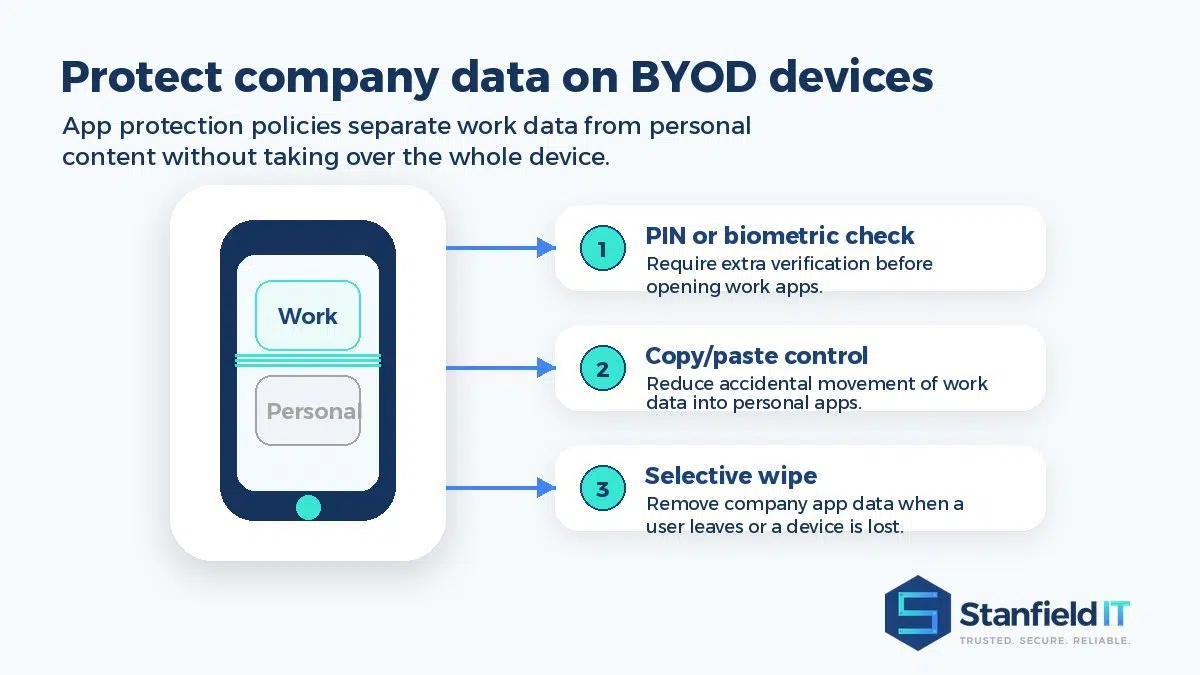
Intune app protection policies can help manage that balance. Rather than taking over the entire personal device, policies can protect business data inside approved work apps. For example, a business may require a PIN or biometric check before opening a work app, restrict copying company data into personal apps, or prevent files from being saved to unapproved locations.
This is valuable because it separates the business concern from the personal device. The company can protect work information, while the user keeps their personal photos, messages and apps separate.
Selective wipe is another important feature. If a staff member leaves the business or a phone is lost, company app data can be removed without necessarily wiping the whole device. For businesses with mobile teams, contractors or hybrid workers, that provides a much safer way to support flexibility.
Easier software deployment, updates and onboarding
Device management is not only about security. It also affects how quickly people can start work and how consistently they are set up.
When a new employee joins, IT often needs to configure email, install Microsoft 365 apps, apply security settings, connect cloud storage and make sure the device is ready for day-to-day use. Doing that manually can take time, and it can lead to inconsistent results if steps are missed.
With a planned Intune setup, many of those tasks can be standardised. Devices can receive required apps, configuration settings, Wi-Fi or VPN profiles, security baselines and update policies. This helps reduce repetitive setup work and gives new starters a more reliable experience.
It also helps existing staff. Software updates, app changes and configuration adjustments can be rolled out centrally instead of relying on every user to follow instructions correctly. For growing businesses, that consistency becomes more valuable with every new device added to the environment.
How Microsoft Intune supports visibility and compliance
You cannot manage what you cannot see. One of the major advantages of a central endpoint management platform is visibility. IT teams can see which devices are enrolled, whether they are compliant, which policies apply and where attention is needed.
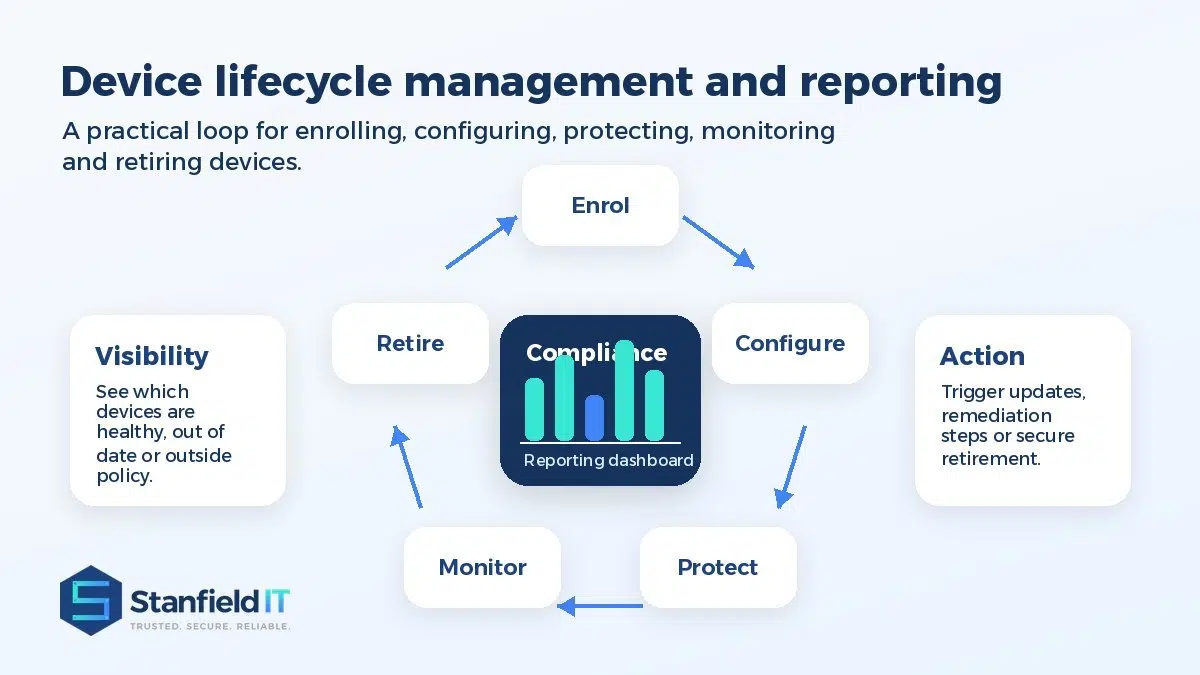
With Microsoft Intune reporting, businesses can identify devices that are out of date, missing required settings or no longer meeting policy requirements. This supports better decision-making because issues are visible before they turn into larger security or productivity problems.
That visibility is also useful for compliance. Many businesses need to show that they are taking reasonable steps to protect data, especially when they work with sensitive client information, financial records, health information or regulated industries. Device compliance policies help demonstrate that access is being managed consistently rather than handled informally.
The full device lifecycle can also be managed more carefully. A device can be enrolled, configured, protected, monitored and eventually retired. When a laptop is replaced or a mobile device is no longer used, access can be removed and business data can be handled in a controlled way.
When is Intune the right choice?
Intune is often a strong fit for businesses already using Microsoft 365, especially those with remote workers, mobile staff, multiple device types or growing cyber security requirements. It can also be useful for organisations that want better consistency without investing in complex on-premise management infrastructure.
It is not, however, something that should be switched on without planning. A good rollout should consider which devices are company-owned, which are personal, what level of control is appropriate, which apps need protection and how policies will affect staff in the real world.
Common rollout mistakes include applying overly strict policies too quickly, failing to communicate changes to staff, not piloting settings before a wider launch, and treating every device type the same. A staged approach is usually safer and easier for everyone.
The best results come from matching the technology to the way the business actually operates. A mobile sales team, an accounting office, a professional services firm and a warehouse team may all need different device management rules.
Working with Stanfield IT
Stanfield IT helps businesses take a practical, security-conscious approach to device management. That includes reviewing your current Microsoft 365 environment, understanding how your staff work, planning sensible policies and implementing controls that support both security and productivity.
For many organisations, Intune works best as part of a broader technology strategy. It connects naturally with Microsoft 365 support and migration, identity and access management and wider cyber security services.
A well-planned implementation can help your business reduce manual IT work, strengthen endpoint security, improve visibility and give staff a smoother experience when using business apps across different devices.
Conclusion
Microsoft Intune gives businesses a smarter way to manage modern devices and protect company data. It supports mobile work, remote access, app protection, compliance policies, reporting and centralised control, all of which are increasingly important for businesses that rely on cloud systems every day.
The real value is not simply having another tool in your Microsoft environment. The value is creating a more reliable and secure way for people to work, wherever they are and whatever approved device they use.
If your business is looking for better control over devices, apps and access to company data, Stanfield IT can help you plan and implement an approach that is practical, secure and suited to the way your team works.