


Recovery Time Objective (RTO) and Recovery Point Objective (RPO) are the two numeric limits that define every workable disaster recovery plan. RTO sets the maximum time your systems can be offline before the business suffers unacceptable harm. RPO sets how far back in time you can afford to lose data. Together, they translate business risk tolerance into technical requirements your team can actually build to.
Before you go further, three actions will move you from theory to a working plan:
- Run a Business Impact Analysis (BIA) to quantify the cost of downtime and data loss per workload.
- Tier your applications by criticality so each one gets a target that reflects its actual business value.
- Engage business unit owners, finance, and legal to validate targets before they go into SLAs or runbooks.
Table of Contents
- What do RTO and RPO actually measure?
- How RTO and RPO differ and interact
- How to set realistic RTO and RPO targets
- Tiered RTO/RPO targets for common Australian workloads
- Protection strategies to meet your targets
- How to calculate and measure RTO and RPO in practice
- How to test your RTO and RPO targets
- Key takeaways
- The reality of RTO and RPO in Australian SMEs
- Stanfieldit helps Australian businesses build recovery plans that actually work
- Useful sources and further reading
What do RTO and RPO actually measure?
RTO and RPO measure two different dimensions of recovery, and confusing them leads to plans that protect the wrong things.
- Recovery Time Objective (RTO): — the maximum acceptable duration from the moment an incident occurs to the moment the system is restored to normal operation. It looks forward from the incident.
ISO 22301, the international standard for business continuity management, formalises these definitions and requires organisations to document them as part of a BIA. SLAs with cloud providers and managed service partners should reference both RTO and RPO explicitly, not just uptime percentages.
How RTO and RPO differ and interact
The two metrics look similar on the surface but drive completely different technical decisions. This table maps the key dimensions side by side.

| Dimension | RTO | RPO |
|---|---|---|
| What it measures | Time to restore service after an incident | Data loss window before the incident |
| Business impact | Operational continuity, revenue, staff productivity | Data integrity, compliance, transaction accuracy |
| How it is measured | Clock time from incident declaration to service restoration | Time elapsed since the last verified recovery point |
| How to achieve it | Failover speed, runbook efficiency, infrastructure redundancy | Backup frequency, replication cadence, snapshot intervals |
| Cost and complexity | Higher cost as target shrinks (faster failover = more infrastructure) | Higher cost as target shrinks (more frequent backups = more storage and bandwidth) |
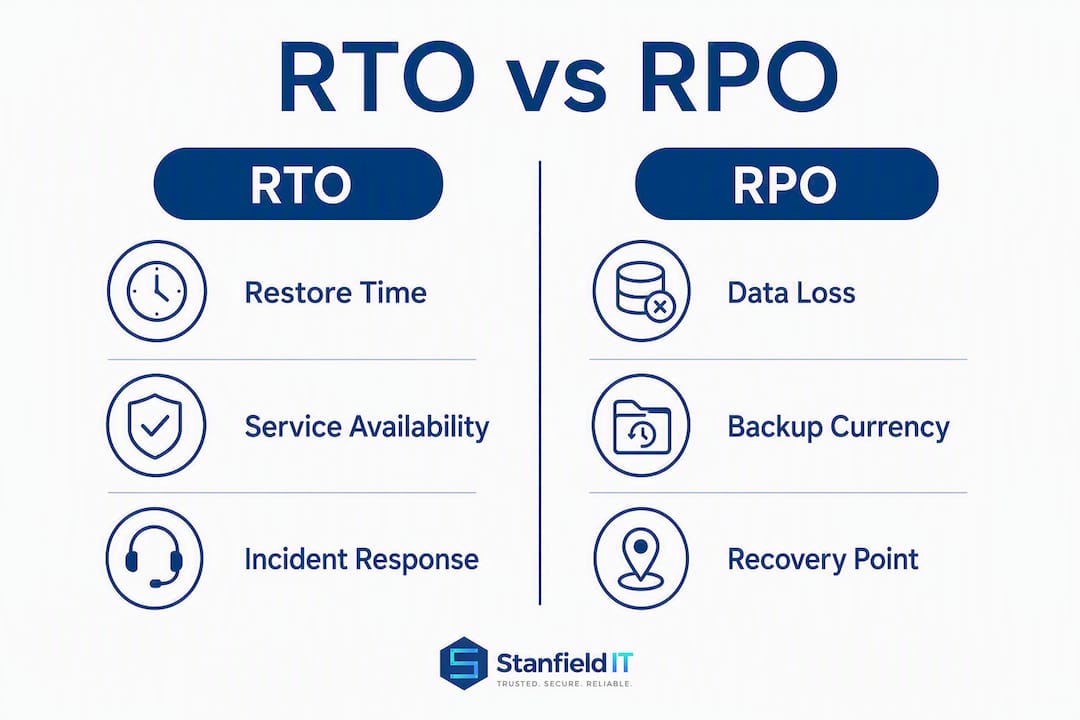
Mismatch scenarios matter. A short RTO with a loose RPO suits a system where availability matters more than data currency, such as a read-heavy intranet or a static document library. A tight RPO with a longer RTO suits a financial ledger where every transaction must be preserved but a few hours of manual workaround is tolerable. The dangerous mismatch is a short RTO paired with infrequent backups: you restore quickly, but to data that is hours or days old, which can be worse than the outage itself.
Transactional systems, such as point-of-sale, electronic health records, and payment gateways, need RTO and RPO synchronised tightly. Archival or reporting systems rarely do. Treating every workload the same wastes budget on low-value systems and under-protects critical ones.
How to set realistic RTO and RPO targets
Setting targets without a structured process produces numbers that feel defensible but do not reflect actual business risk. AWS Well-Architected guidance recommends defining objectives per workload and building a tiering matrix to drive recovery plans. Here is a practical process you can follow.
- Scope your workloads. Inventory every application, data store, and integration. Ready.gov’s IT disaster recovery guidance recommends starting with a full inventory of hardware, applications, and data before any target-setting begins.
- Run a Business Impact Analysis. For each workload, quantify the cost of downtime (lost revenue, regulatory penalties, staff idle time, reputational damage) and the cost of data loss (transactions, records, compliance obligations). This produces a dollar figure per hour of outage and per hour of data loss.
- Identify recovery dependencies. Map upstream and downstream dependencies: APIs, authentication services, databases, third-party integrations. A workload with a 15-minute RTO is useless if it depends on a service with a 4-hour RTO.
- Assign tolerance windows. Based on BIA outputs, assign a maximum tolerable downtime and data loss window to each workload. These become your RTO and RPO ceilings.
- Apply cost and complexity filters. Microsoft’s Azure guidance is direct: near-zero objectives are exponentially expensive. Balance the cost of achieving a target against the financial risk of missing it. A workload that costs $500 per hour of downtime does not justify a $50,000 per month hot-standby infrastructure.
- Engage stakeholders. Business unit owners validate impact estimates. Finance confirms revenue and penalty figures. Legal confirms compliance obligations. Operations confirms manual workaround capacity. Targets without this sign-off will not survive a real incident.
- Document in SLAs and runbooks. Targets are only useful when they appear in signed SLAs with vendors and in runbooks your team can execute under pressure.
Pro Tip: Most teams calculate RTO based on restore time alone and forget human overhead. Detection, triage, the decision to declare a disaster, coordination between teams, and data integrity verification all consume time. A restore that takes 30 minutes can easily become a 3-hour RTO when you account for these steps. Build them into your target from the start.
Targets should also flex for context. AWS notes that recovery objectives may need to tighten during peak periods, such as end-of-financial-year processing or high-volume retail seasons, and should account for regional versus availability-zone failure scenarios.
Tiered RTO/RPO targets for common Australian workloads
Application tiering is the practical tool that stops you from applying the same protection level to every system. Three tiers cover most environments.

| Tier | Example workloads | Suggested RTO | Suggested RPO | Business consequence of missing target |
|---|---|---|---|---|
| Tier 1: Mission critical | Electronic health records (EHR), payment gateways, core banking, POS systems | Short | Very short | Patient safety risk, revenue loss, regulatory breach |
| Tier 2: Business important | Email, CRM, accounting software, VoIP | Moderate | Moderate | Staff productivity loss, delayed billing, customer impact |
| Tier 3: Standard | Intranet, reporting tools, archival storage, dev/test environments | Longer | Longer | Operational inconvenience, no immediate compliance risk |
Australian healthcare organisations must consider obligations under the My Health Records Act 2012 and the Australian Privacy Act when setting EHR targets. Professional services firms handling client data should factor in the Notifiable Data Breaches scheme, which requires notification within 30 days of a breach. Both create hard compliance floors that your RPO cannot breach.
Veeam’s tiering guidance maps these tiers to protection methods: Tier 1 workloads need continuous data protection (CDP) or synchronous replication; Tier 2 workloads are well served by hourly snapshots or incremental backups; Tier 3 workloads can rely on daily backups with offline or cloud-archived copies.
Protection strategies to meet your targets
The protection method you choose must match the RTO and RPO you have committed to. Mismatching them is the most common reason organisations fail their own recovery tests.
- Daily snapshots and incremental backups: suitable for Tier 3 workloads with RPOs of 24 hours or more. Low cost, low complexity, but restoration can take hours depending on data volume.
- Hourly snapshots: suitable for Tier 2 workloads. Reduces RPO to under an hour for most systems. Works well with cloud-native snapshot tools in Azure, AWS, and Google Cloud.
- Continuous Data Protection (CDP): captures every write to storage in near real-time, enabling RPOs measured in seconds or minutes. Required for Tier 1 transactional systems. Higher storage and bandwidth cost.
- Warm standby / pilot light: a scaled-down replica of your environment that can be spun up within minutes. Balances cost and RTO for Tier 1 and upper Tier 2 workloads.
- Hot site / active-active: full duplicate environment running in parallel with automatic failover. Delivers the shortest RTOs but carries the highest infrastructure cost.
- Cold site: pre-provisioned infrastructure with no live data. Suitable only for Tier 3 workloads where a 24–72 hour RTO is acceptable.
- SaaS export and archival: for SaaS platforms (Microsoft 365, Google Workspace, Salesforce), native backups often do not meet enterprise RPO requirements. Third-party backup tools and the shared responsibility model mean you are responsible for your own data protection even when the vendor manages the platform.
Cloud environments add flexibility but also complexity. AWS and Azure both support multi-region replication, but you need to account for data residency requirements under Australian law. The Australian Privacy Act restricts cross-border data transfers, so confirm that your replication targets are in Australian data centres or in jurisdictions with equivalent protections before you commit to an architecture.
How to calculate and measure RTO and RPO in practice
Targets on paper mean nothing without a measurement framework to verify them during tests and live incidents.
- RTO measurement: record the timestamp when the incident is declared, then record the timestamp when the system passes integrity checks and is returned to production. The gap is your actual recovery time. Compare it against your RTO target.
- RPO measurement: identify the timestamp of the last verified recovery point (the last successful backup or replication snapshot confirmed clean). The gap between that timestamp and the incident declaration timestamp is your actual data loss window. Compare it against your RPO target.
- MTTR tracking: average your actual recovery times across multiple incidents or tests. A rising MTTR trend signals that your runbooks, infrastructure, or team capacity are degrading relative to your targets.
Metrics to capture during every test or incident:
- Detection time: when was the incident first identified?
- Decision time: when was the formal declaration made to invoke the recovery plan?
- Restore start time: when did the technical restoration begin?
- Restore complete time: when was the system back online?
- Data integrity verification time: when was data confirmed clean and complete?
- Total elapsed time: detection through verification, not just restore duration.
Instrumentation matters. Use centralised logging (Azure Monitor, AWS CloudWatch, or a SIEM) to capture timestamps automatically. Manual logging under incident pressure is unreliable and often incomplete.
How to test your RTO and RPO targets
A written plan that has never been tested is a liability, not an asset. Atlassian’s incident management guidance makes the point plainly: operational readiness and regular simulations are what turn RTO and RPO from targets into repeatable outcomes.
- Tabletop exercises: walk your team through a simulated incident scenario without touching production systems. Validate that runbooks are complete, roles are understood, and decision-making is clear. Run these at minimum annually for Tier 3 workloads, semi-annually for Tier 2.
- Automated failover dry runs: trigger failover in a non-production environment and measure actual recovery times. Confirm that replication is current and that the restored environment passes functional tests.
- Staged failovers: fail over a single non-critical workload in production to validate the full process end-to-end, including dependency resolution and user communication.
- Full production failovers: the highest-confidence test. Fail over your entire environment to the recovery site and operate from it for a defined period before failing back. Reserve this for Tier 1 workloads; schedule quarterly or at minimum every six months.
- Rollback tests: verify that you can return to the primary environment cleanly after a failover. Many teams test failover but not failback, which creates a second point of failure.
Recommended cadence by tier:
- Tier 1: full or staged failover quarterly; tabletop monthly.
- Tier 2: automated dry run semi-annually; tabletop semi-annually.
- Tier 3: tabletop annually; backup restore test annually.
After every test, produce a post-mortem that records actual RTO and RPO achieved, gaps against targets, and remediation actions with owners and due dates. Ready.gov recommends periodic testing and backup integrity validation as non-negotiable elements of any IT recovery plan.
Pro Tip: Most test reports measure restore time only. Include detection time and decision time in your test metrics. In a real incident, the clock starts when the problem occurs, not when your team begins the restore. If detection takes 45 minutes and decision-making takes another 30, a 1-hour RTO is already gone before a single command is run.
Key takeaways
RTO and RPO are only as useful as the BIA, tiering, and testing programme that sits behind them. Targets set without business input, dependency mapping, or regular validation will fail when you need them most.
| Point | Details |
|---|---|
| Start with a BIA | Quantify the cost of downtime and data loss per workload before assigning any targets. |
| Tier your applications | Assign Tier 1, 2, or 3 status to each workload so protection spend matches actual business risk. |
| Include human overhead in RTO | Detection, triage, and verification time must be built into your RTO, not added as an afterthought. |
| Test to the tier cadence | Tier 1 workloads need quarterly failover tests; tabletop exercises alone are not sufficient validation. |
| Stanfieldit supports the full cycle | Stanfieldit provides BIA, DR plan builds, managed backups, replication, and recovery testing for Australian SMEs. |
The reality of RTO and RPO in Australian SMEs
Most Australian SMEs I work with arrive at this conversation having set RTO and RPO targets in a spreadsheet, without a BIA, without stakeholder sign-off, and without a single test on record. The numbers look reasonable on paper — “4-hour RTO, 1-hour RPO” — but when you ask how they were derived, the answer is usually “it seemed about right.”
That is the gap that causes real harm. Not the absence of a plan, but the presence of a plan that has never been stress-tested and is quietly wrong in ways nobody has discovered yet.
The other pattern I see consistently is organisations treating cloud migration as a substitute for disaster recovery planning. Moving workloads to Microsoft 365 or Azure does not automatically give you a tested RTO or a compliant RPO. The shared responsibility model means the vendor protects the platform; you are still responsible for your data. SaaS platforms in particular carry default retention windows that may not align with your compliance obligations under the Australian Privacy Act or the Notifiable Data Breaches scheme.
The organisations that handle incidents well are the ones that have run their runbooks under pressure before the real incident arrives. Tabletop exercises feel low-stakes, which is exactly why teams skip them. They are also exactly why some teams recover in 45 minutes while others are still rebuilding three days later.
Stanfieldit helps Australian businesses build recovery plans that actually work
Most businesses know they need a disaster recovery plan. Fewer have one that has been tested, tiered, and aligned to real business risk. Stanfieldit works with Australian SMEs in professional services and healthcare to close that gap, from the initial BIA through to managed backups, replication architecture, and scheduled recovery testing.

Our backup and disaster recovery services cover the full cycle: scoping RTO and RPO targets with your business owners, designing protection strategies matched to each application tier, configuring and monitoring backup and replication, and running tabletop and failover tests on a documented cadence. We also support co-managed arrangements for organisations that want to keep internal IT capacity while outsourcing the DR programme.
If your current plan has never been tested, or your targets were set without a BIA, the right starting point is a recovery review. Reach out to Stanfieldit to book one.
Useful sources and further reading
- IT disaster recovery plan | Ready.gov — practical inventory and testing guidance for IT recovery planning.
- RTO vs RPO: key differences explained | TechTarget — clear definitions, calculation guidance, and cloud SLA considerations.
- Business continuity and disaster recovery planning guide | Stanfieldit — Stanfieldit’s stepwise approach to BIA, runbooks, and recovery testing for Australian SMEs.
- Disaster recovery plan template | Stanfieldit — a practical template to support checklist development and testing cadence.
