

Microsoft 365 Consulting, Support & Migration
Trusted by growing Australian businesses
- 150+ companies served
- 20+ industries
- Google customer reviews
- 100% Australia-based team


Plan a Better Microsoft 365
Microsoft 365 consulting is the assessment, planning, configuration and ongoing improvement of your Microsoft 365 environment. It goes beyond fixing isolated problems. The aim is to align licences, security, collaboration tools, data and administration with the way your business operates.
Stanfield IT begins with your current tenant, business priorities and risk profile. We review what is already working, where settings or permissions create exposure, which licences are being underused and what should change first.
A Microsoft 365 review can cover:
- Tenant configuration and administration
- Exchange Online, Teams, SharePoint and OneDrive
- Microsoft Entra ID, MFA and Conditional Access
- Microsoft Intune, device enrolment and application management
- Microsoft Defender, email security and security baselines
- Guest access, external sharing and privileged administration
- Licensing, backup and business continuity requirements
- Microsoft Copilot readiness and information governance
You receive clear findings, practical quick wins and a prioritised roadmap. The result is a platform that is easier to support, more secure and better suited to your people.
Migrate With Less Disruption
A successful Microsoft 365 migration starts well before data is moved. Stanfield IT maps the source environment, identities, domains, applications, data, permissions and business dependencies so the migration can be planned around your operating requirements.
We can assist with:
- Google Workspace to Microsoft 365 migrations
- Tenant-to-tenant migrations following a merger, acquisition or restructure
- Exchange, IMAP and legacy email migrations
- File server, Dropbox and other cloud-storage migrations
- SharePoint, OneDrive and Teams data moves
- Users, shared mailboxes, groups, aliases, calendars and contacts
- Permissions, external sharing and access requirements
Our process normally includes discovery, scope confirmation, identity and destination mapping, pilot migrations, staged migration batches, cutover planning, validation and post-go-live support. We also prepare users for changes to Outlook, Teams, OneDrive and SharePoint so the technical move does not leave the business struggling to adopt the new environment.
Not every source platform stores mail, files, permissions and collaboration data in the same way. We identify exceptions before the main migration and explain any limitations, remediation work or decisions that need to be made. That is more dependable than promising a risk-free or zero-downtime move before the environment has been assessed.


Secure Identities, Devices and Data
Microsoft 365 security depends on more than buying the right licence. Identity, device, email, sharing and administrative controls must be configured, monitored and maintained around the way your organisation works.
Stanfield IT can help strengthen:
- Multi-factor authentication and authentication methods
- Microsoft Entra ID and Conditional Access
- Administrator roles and privileged access
- Joiner, mover and leaver processes
- Microsoft Intune device and application management
- Microsoft Defender security controls
- Exchange Online email protection
- Guest users and external sharing
- SharePoint, OneDrive and Teams permissions
- Security logging, alerting and investigation
- Independent Microsoft 365 backup and recovery
- Data protection, retention and sensitivity controls where licensed
We match the control set to your Microsoft licences, risk profile, device mix and operating needs. The objective is not to switch on every available setting. It is to reduce material risk without creating unnecessary barriers for staff.
You receive prioritised recommendations, clear ownership and a practical improvement plan. Where ongoing management is required, Stanfield IT can continue administering the environment, reviewing changes and escalating Microsoft platform issues on your behalf.
Microsoft 365 Services

Consulting & Roadmaps
Understand the condition of your Microsoft 365 environment before committing to a migration, licence change or major security project. We assess the tenant, identify gaps, establish priorities and build a roadmap aligned to business outcomes, risk and available budget.

Migration & Consolidation
Move email, files, identities and collaboration data into Microsoft 365 or between Microsoft tenants. We plan the destination, map dependencies, test the approach, manage cutover and support users after go-live.

Security & Identity
Strengthen Microsoft 365 with practical identity, device, email and data controls. This can include Entra ID, MFA, Conditional Access, Intune, Defender, privileged access, guest management, secure sharing, logging and backup.

Teams & SharePoint
Create a clearer digital workplace across Teams, SharePoint and OneDrive. We help structure sites and teams, improve permissions, reduce uncontrolled sprawl and make information easier for staff to find and use.

Licensing Optimisation
Review Microsoft 365 licence assignments, usage, renewals and add-ons. We identify avoidable waste, missing capabilities and licensing decisions that should be planned before a security, device-management or Copilot rollout.

Copilot & AI Readiness
Prepare Microsoft 365 for Copilot by reviewing permissions, oversharing, stale sites, sensitive information, ownership and governance. We can then help plan a controlled pilot, adoption approach and ongoing AI oversight.

Make Teams and SharePoint Work
Teams, SharePoint and OneDrive can improve collaboration, but an unplanned rollout often creates duplicated sites, inconsistent permissions, confusing document locations and uncontrolled external sharing.
Stanfield IT helps establish a structure that people can understand and administrators can maintain. Depending on your needs, this can include:
- Teams and SharePoint information architecture
- Site, team and channel design
- Naming, ownership and lifecycle standards
- Document libraries and metadata
- SharePoint and OneDrive permissions
- External sharing and guest-access controls
- Retention and information-protection requirements
- File-server and cloud-storage migration
- Microsoft Teams meetings, calling and collaboration settings
- User communication, adoption and training support
The right design depends on how departments, projects and client work are organised. We avoid imposing a generic structure. Instead, we establish clear rules, ownership and practical administration so Microsoft 365 remains useful as the business grows.
The outcome is a digital workplace where staff know where information belongs, what they can share and who is responsible for keeping each area current.
Prepare Safely for Microsoft Copilot
Microsoft Copilot works within the permissions already present in Microsoft 365. That makes existing access, sharing and information-governance decisions especially important. Content that is outdated, overshared or poorly owned can reduce answer quality and increase the risk of sensitive information being surfaced to people who already have access to it.
Before a broad Copilot rollout, Stanfield IT can help review:
- SharePoint and OneDrive permissions
- Broad or anonymous sharing links
- Guest users and external access
- Sites without current owners
- Stale, duplicated or low-value content
- Sensitive information and labelling requirements
- Retention and information-lifecycle settings
- Microsoft 365 groups, Teams and access boundaries
- Priority use cases and pilot users
- AI policy, acceptable use and governance
We then help create a staged adoption plan. This can include remediation, governance guardrails, pilot selection, user guidance, support processes and measures for productivity, risk and adoption.
The goal is not to delay useful AI. It is to give Copilot a cleaner, better-governed Microsoft 365 environment so the rollout delivers more value with fewer surprises.


Ongoing Microsoft 365 Support
Stanfield IT provides ongoing Microsoft 365 support for businesses on Sydney’s Northern Beaches, with remote assistance and onsite help from our Frenchs Forest office where required. We help keep user access, licences, devices and security settings under clear ownership as your team and Microsoft 365 environment change.
Stanfield IT can provide ongoing Microsoft 365 support as a standalone requirement, as part of a managed IT service or alongside an internal IT team. Support can include:
User support for Outlook, Teams, SharePoint and OneDrive
Account creation, onboarding, offboarding and access changes
Shared mailboxes, distribution groups and Microsoft 365 groups
Licence assignment, review and renewal planning
Exchange Online and mail-flow administration
Device enrolment and Microsoft Intune support
Security-policy administration and alert escalation
Guest users, permissions and external sharing
Service-health monitoring and Microsoft escalation
Backup monitoring, recovery assistance and reporting
Change planning, documentation and improvement roadmaps
Your business gets one accountable team that understands the broader environment rather than a different provider for every Microsoft 365 issue. That improves continuity, reduces hand-offs and makes it easier to move from reactive support to planned improvement.
For Kennedy Partners Wealth, Stanfield IT moved files to SharePoint and provided Microsoft 365 administration, Intune device management and backup protection as part of broader managed IT support. Read the Kennedy Partners Wealth case study.
Who We Help

Growing Australian Businesses
Businesses that rely on Microsoft 365 but no longer want licences, security, permissions and support managed informally. We help establish a dependable platform that can scale as staff, locations, applications and compliance requirements grow.
Internal IT Teams
IT managers and internal teams that need additional Microsoft 365 capacity, specialist advice or project delivery. Stanfield IT can work co-operatively on migrations, security uplift, tenant administration, Copilot readiness, reporting and complex escalation.

In-house IT teams
For internal IT teams that need extra capacity for migration, tenant hardening, licensing, user support, or Microsoft 365 project delivery.

Regulated and Trusted Firms
Professional services, finance, healthcare and other organisations where client trust, privacy, security and governance matter. We help improve control over identities, devices, sharing, administration, data and evidence of ongoing management.

Multi-Site and Hybrid Teams
Organisations with remote staff, multiple offices or people working across different devices and locations. We help make collaboration practical while maintaining clearer access, device, security and support standards.
Why choose Stanfield IT
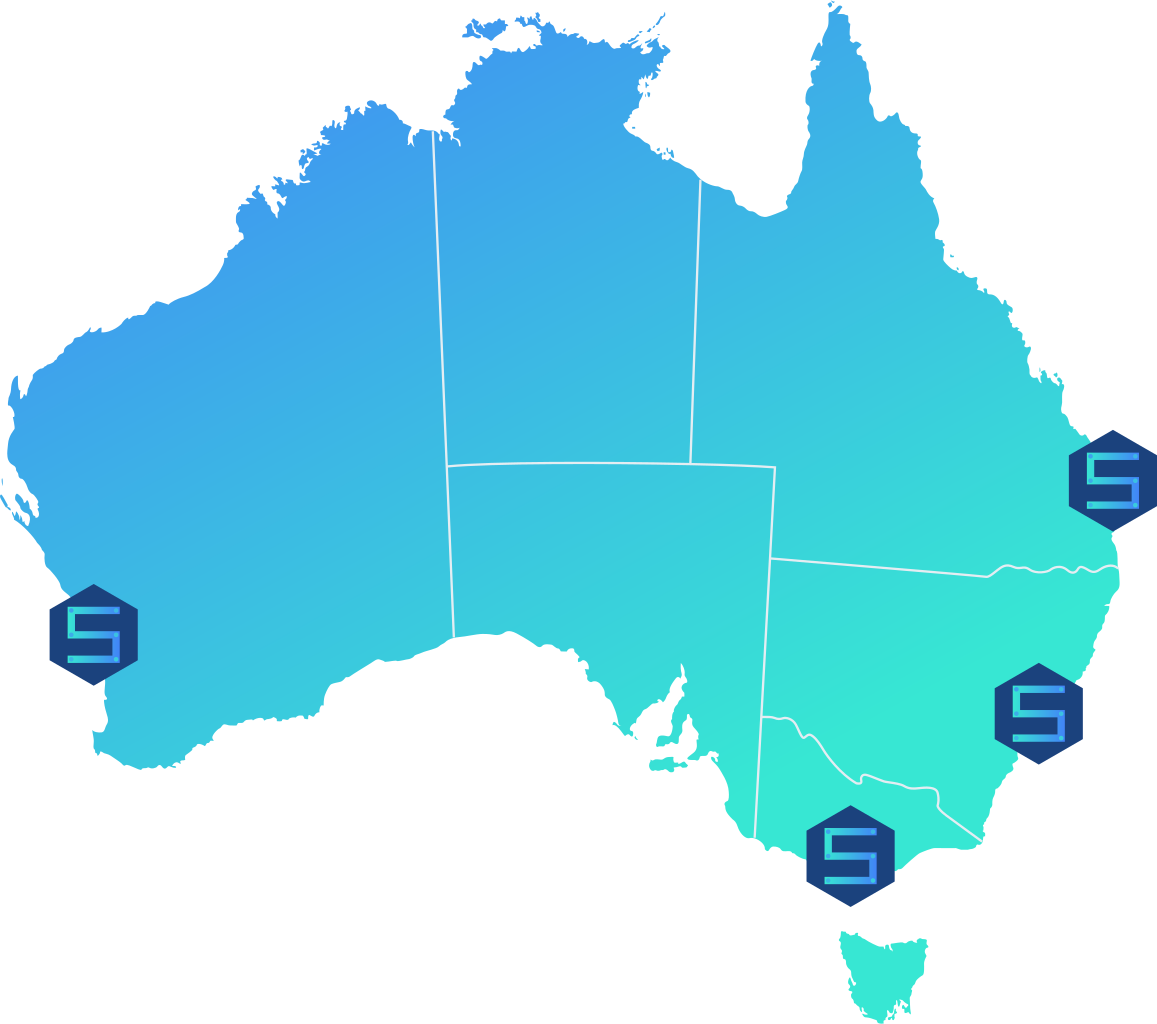
- 100% Australian-based team with offices in Sydney, Melbourne, Brisbane and Perth.
- One partner for Microsoft 365, managed IT, cyber security, compliance and AI.
- Security-first planning matched to your licences, risk and operating needs.
- Clear ownership from discovery and migration through support and improvement.
- Experience supporting 150+ companies across more than 20 industries.
Frequently Asked Questions
-
Microsoft 365 consulting helps a business assess, plan, configure and improve Microsoft 365 across licensing, security, migration, Teams, SharePoint, OneDrive, devices, governance and administration.
-
Support can include user issues, Exchange Online, Teams, SharePoint, OneDrive, licensing, account administration, onboarding, offboarding, security settings, device management, service health and Microsoft escalation.
-
Yes. We can plan staged migrations of email, calendars, contacts and files from Google Workspace to Microsoft 365, then help users transition to Outlook, Teams, OneDrive and SharePoint.
-
Yes. We can assist with migrations caused by mergers, acquisitions, divestments or restructuring. Scope depends on identities, domains, mail, files, Teams, applications and compliance requirements.
-
Some cutover activities can briefly affect access, but the project is designed to minimise disruption. We use discovery, pilots, staged batches, communication, validation and post-cutover support rather than promising zero downtime.
-
Timing depends on user numbers, data volume, source systems, complexity and compliance needs. A small migration may take weeks; a complex tenant or multi-site project may take longer. We confirm the plan after discovery.
-
Yes. We review identity, MFA, Conditional Access, admin roles, guest access, email security, sharing, device management, Defender, logging and backup, then prioritise remediation against your licences and risk.
-
Yes. We can review assignments, remove waste, plan renewals and recommend suitable Microsoft 365 plans and add-ons. Recommendations are based on actual use, security needs and future plans.
-
Yes. We support configuration, permissions, information architecture, external sharing, document management, user adoption and troubleshooting across Teams, SharePoint and OneDrive.
-
Yes. We review permissions, oversharing, stale sites, sensitive data, ownership, sharing controls and governance before helping you plan a controlled Copilot pilot and wider rollout.
-
Many businesses use an independent Microsoft 365 backup to meet their retention and recovery requirements. We assess the data, recovery objectives and existing controls before recommending the right approach.
-
Yes. Stanfield IT can provide co-managed administration, project delivery, specialist escalation, security uplift, reporting and additional capacity while your internal team retains day-to-day ownership.
-
Yes. Our Frenchs Forest team provides Microsoft 365 support for Northern Beaches businesses, including user support, account administration and ongoing management. Remote and onsite assistance is available, with scope and support hours agreed in advance.
-
Yes we support businesses all over Australia.
-
Book a Microsoft 365 review or contact Stanfield IT. We will discuss your current environment, business priorities, risks and timing, then recommend the most useful next step.
Read some of our latest case studies



Get More from Microsoft 365
Book a practical review of your tenant, migration plans, security and support needs.
