

AI Consulting Sydney & Managed AI Services
Trusted by growing Australian businesses
- 150+ companies served
- 20+ industries
- 57 5-star reviews
- 100% Australia-based team


AI Consulting for Sydney Businesses
AI consulting helps your business decide where artificial intelligence is useful, what needs to change before implementation and how to measure the result. It brings your business priorities, people, systems and security requirements into one practical plan.
Stanfield IT provides AI consulting services for Sydney businesses, with a particular focus on teams of 20–200 staff. Based in Frenchs Forest, we support organisations across the Northern Beaches, North Shore and wider Sydney.
If staff are trying different AI tools, licences are going unused or your leadership team is unsure where to invest, start by choosing a specific business problem. That might be time spent finding information, repeated document handling or a backlog of routine enquiries.
We assess each opportunity against:
- The volume of work and the effort it takes today.
- The quality and sensitivity of the information involved.
- The systems, integrations and permissions required.
- The effect of an incorrect answer or action.
- The cost of implementation, review and ongoing support.
Sometimes a process change or conventional automation is the better answer. Our role is to help you make that decision before committing to a wider rollout.
Know What Your AI Assessment Covers
A useful AI assessment should give your leadership team a basis for a decision. We agree the scope first, including the teams, workflows, systems and information to be reviewed.
For an assessment and roadmap engagement, the agreed deliverables can include:
- Opportunity shortlist: practical use cases ranked by expected value, effort and risk.
- Readiness findings: data, access, licensing and process gaps that need attention.
- Pilot brief: one defined workflow, its users, boundaries and acceptance criteria.
- Implementation roadmap: the sequence of work, dependencies and responsibilities.
- Cost considerations: the likely service, software, integration and support components to investigate or quote.
Your team contributes knowledge of how work happens and what a good outcome looks like. We translate that into technical requirements and a staged plan.
The initial strategy call is a discussion about your goals and current environment. A detailed assessment, written roadmap and implementation work are scoped separately. You can assess the proposed work before deciding how far to proceed.


Prepare Microsoft 365 for Copilot
Copilot in Microsoft 365 can help staff work with documents, email and meetings, but the quality of a rollout depends on the information and access arrangements behind it.
Microsoft explains that Copilot works within a user’s existing access permissions. If a document library is shared too broadly, AI can make that information easier to find. Reviewing access before deployment is an important part of readiness.
We help assess the Microsoft 365 environment around the proposed use cases, including:
- SharePoint, Teams and OneDrive sharing and content ownership.
- User identities, group membership and access controls.
- Sensitive information, approved data sources and retention settings.
- Product and licence suitability for the work you want to do.
- A pilot group, staff guidance and a route for reporting issues.
Start with information your team can trust, access that matches people’s roles and clear expectations about checking AI outputs. Where foundation work is needed, we can coordinate it through our Microsoft 365 support services.
We also help assess other business AI platforms when they suit your requirements. The choice follows the workflow, data and security needs.
AI Consulting Services

AI Strategy & Roadmaps
Turn competing ideas into a prioritised plan. Establish which problems are worth addressing, who owns each outcome and what must be ready before investment proceeds.

Data & Copilot Readiness
Identify permission, information and Microsoft 365 readiness gaps before deployment. Match the proposed AI tool to approved data sources and the people who need to use it.

Workflow Planning
Map repetitive work, system handoffs and approval points. Where implementation is the next step, our AI automation service covers building and managing the agreed workflow.

AI Agent Scoping
Define the information an agent may access, the actions it may take and when it must ask a person. Explore delivery options through AI agents and Claude workflows.

AI Governance Planning
Establish approved uses, accountable owners and rules for handling information and checking outputs. Our AI governance and secure adoption service provides the detailed policy and control work.

Managed AI Support
Keep agreed tools and workflows supported after launch. Review usage, resolve issues, refresh staff guidance and prioritise further improvements.

Start with a Pilot You Can Measure
Choose one workflow with enough activity to measure and a business owner who can judge the result. Agree what success means before building or buying anything.
Examples of workflows we can assess include:
- Enquiry handling: classify incoming requests and prepare a response for a staff member to check and send.
- Document processing: extract selected information into a draft record, with a person checking it before the business system is updated.
- Internal knowledge search: help staff find answers in approved policies and procedures, with references they can verify.
- Meeting follow-up: prepare draft actions from an approved transcript for participants to review before tasks are assigned.
These are illustrative use cases. Suitability depends on your information, applications, permissions and the consequences of errors.
A pilot should compare the existing process with the proposed approach. Measure handling time, corrections, completion rates, staff use and running costs. Include the time people spend reviewing outputs; a faster first draft is only useful if the finished work improves.
Test difficult cases and define what happens when the AI cannot produce a reliable result. At the end, you have evidence to decide whether to expand, adjust or stop.
Understand Your AI Scope and Costs
AI consulting costs depend on the work involved. A review of one department and one workflow has a different scope from preparing Microsoft 365, connecting several business systems and supporting a wider rollout.
The main cost drivers are:
- Discovery: how many teams, processes and systems need review.
- Data preparation: the condition of documents, permissions and records.
- Integration: available connectors, access requirements and custom development.
- Risk and testing: the sensitivity of the workflow and the checks it requires.
- Software and usage: licences, subscriptions and any consumption charges.
- Adoption and support: training, documentation, maintenance and ongoing reviews.
We clarify the consulting deliverables, implementation work and ongoing responsibilities in the proposed scope. This helps you see what is included, which costs sit with software providers and what would need a separate decision.
For a productive first discussion, bring one or two processes you want to improve, the systems involved, the staff affected and any constraints on budget or information handling. We can then determine whether the right next step is a readiness assessment, a defined pilot or further foundation work.

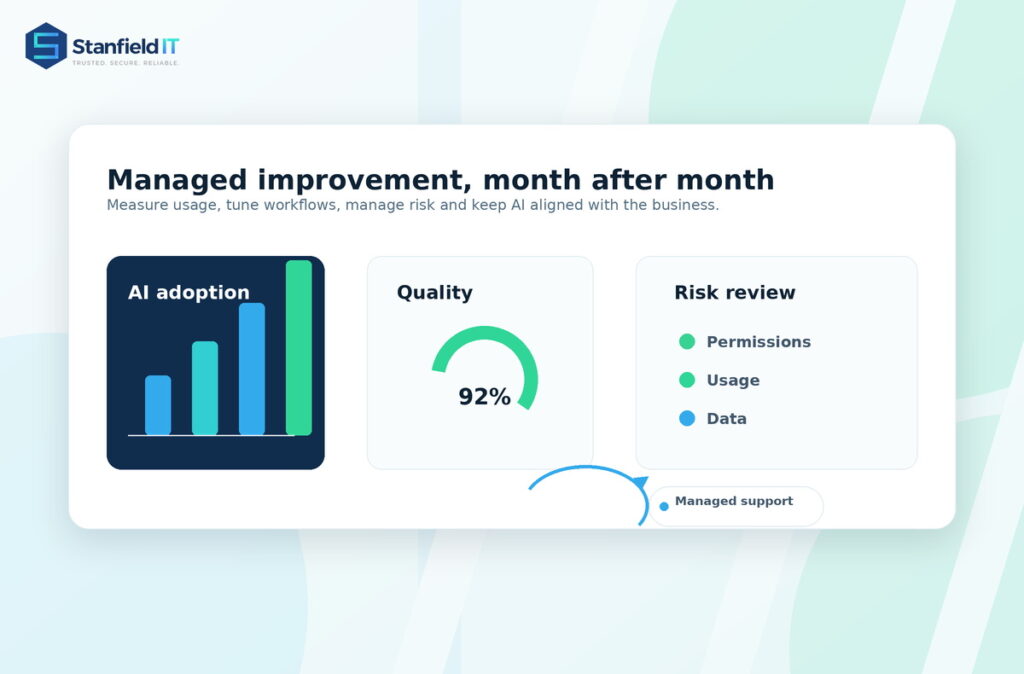
Keep AI Useful with Managed Support
Once a pilot becomes part of everyday work, somebody needs to own it. Staff need support, permissions change, software evolves and workflows need review.
Our managed AI services provide ongoing technical support and improvement for the tools and workflows included in your agreement. We work with your business owners and IT team to establish responsibilities, escalation routes and a review schedule.
Depending on the agreed service, ongoing work can cover:
- User questions, troubleshooting and practical training.
- Reviewing failed tasks and changes in output quality.
- Prompt, workflow and integration adjustments.
- Access changes and approved data source reviews.
- Licence use, adoption and operating cost checks.
- Documentation, ownership and priorities for the next review.
Reporting should help you decide whether the service is earning its place in the business. We look at practical measures such as staff use, handling time, corrections and support needs, with recommendations tied to the agreed goals.
For broader improvements to how your team uses its existing tools, see our Productivity as a Service.
Who Our AI Consulting Suits

Business Owners & Directors
For leaders of businesses with around 20–200 staff who want a clear investment decision. Understand which AI opportunities fit your operations, what they depend on and what a sensible first engagement would deliver.

Operations & Finance Teams
For teams dealing with repeated document work, enquiries, reporting and approvals. Start with a process that can be measured, while keeping people responsible for important decisions and records.

Internal IT Teams
For IT teams that need additional planning and delivery capacity. We work alongside your people on Microsoft 365 readiness, access, integrations, pilot delivery and ongoing support responsibilities.

Teams Handling Sensitive Data
For professional services, finance, legal, healthcare and other teams with confidential information. Assess the data, access boundaries, vendor arrangements and review requirements before choosing how AI will be used.
Why Choose Stanfield IT?
- A Frenchs Forest team serving Sydney businesses.
- Business priorities translated into a practical scope.
- Microsoft 365, IT and cyber security considered together.
- Clear roles for your team, our team and your software providers.
- Support from initial planning through ongoing management.
Frequently Asked Questions
-
An AI consultant assesses where AI could improve work, checks data and systems, and helps plan a practical implementation. Stanfield IT combines that advice with pilot planning, Microsoft 365 readiness and ongoing managed AI support.
-
Yes. Our Frenchs Forest team supports businesses across the Northern Beaches, North Shore and wider Sydney. We can work with your leadership, operations and internal IT teams on a defined assessment, pilot or managed service.
-
The scope is agreed first. It can cover selected workflows, data access, Microsoft 365 readiness and risks. Deliverables can include prioritised use cases, readiness findings, a pilot brief and an implementation roadmap.
-
Cost depends on the workflows, systems, data preparation, integrations and support required. We scope the consulting and delivery work before it starts. Software licences, usage charges and ongoing support are identified separately where applicable.
-
Timing depends on access to your people and systems, data readiness, approvals and workflow complexity. We establish a schedule after scoping the work and identifying dependencies. A tightly defined first use case is easier to plan and evaluate.
-
Copilot respects existing user access permissions. It can make information easier to find, including material that has been shared too broadly. We review relevant permissions, sharing and data readiness before a wider deployment.
-
That depends on the product, settings, contract, data and use case. Review access, retention, vendor data use and review requirements before entering confidential information. We help assess suitable controls and approved uses.
-
No. We also assess other business AI tools, automation and agents where they suit the requirements. Recommendations consider the workflow, information, integrations, security needs and ongoing costs.
-
Possibly. We assess available connectors or APIs, licensing, access controls and data quality first. Integration work is scoped around the specific application and workflow, with approval steps where an action needs human oversight.
-
Yes. We agree responsibilities with your IT team or provider, including access, implementation, approvals and support. This gives the AI project clear ownership and helps it fit the systems and processes you already use.
-
We review the results against the agreed measures and recommend whether to expand, adjust or stop. If you proceed, ongoing support, training, maintenance and reviews can be scoped through our managed AI services.
-
We discuss the work you want to improve, your systems and your constraints. We then identify an appropriate next step. A detailed assessment, written roadmap or implementation project is scoped separately.
Read some of our latest case studies



Plan Your Next Step with AI
Tell us what is slowing your team down. We will help you scope a practical next step.
