

Stanfield IT, City Systems, Milnsbridge, Essential Tech, AristaTech and KMTech all offer IT support for Sydney law firms. To narrow the field, ask each provider to walk through two events your practice could face this week. A solicitor loses access to a matter an hour before filing. A former employee can still open a shared client folder. Who takes the call, what can they check, and when will the practice manager hear back?
Five checks will tell you more than a list of software logos. Look at access to matter files, Microsoft 365 support, evidence of a successful backup restore, written response commitments and the availability of remote or onsite help.
Who offers IT support for Sydney law firms?
Here is what each provider publishes about its legal work. Stanfield IT is the publisher and one of the providers in the comparison. Use the links to check the scope, then ask for a reference from a practice with a similar headcount, office footprint and software setup.
| Provider | What its published material covers |
|---|---|
| Stanfield IT | Sydney help desk and onsite support, Microsoft 365 permissions, backup management and coordination with legal software vendors. Application changes and migrations are scoped separately. |
| City Systems | Lists experience with LEAP, Affinity and Smokeball, alongside Microsoft 365 administration, device security and independent backups. |
| Milnsbridge | Supports infrastructure for LEAP, Actionstep and FilePro. Describes encrypted backups, regular recovery tests and remote access for lawyers working from court. |
| Essential Tech | Describes support for Outlook and Word integrations with legal platforms including LEAP, Smokeball and Clio. Also lists tested restores for practice data. |
| AristaTech | Publishes a testimonial from the managing solicitor of Equius Legal about its IT support. Ask which practice applications and onsite hours a new agreement covers. |
| KMTech | Lists LEAP, Actionstep and FilePro experience, Microsoft 365 management and Sydney onsite capability alongside remote support. |
When interviewing a reference about IT support for Sydney law firms, ask about the last time the practice had to involve two suppliers. Did the help desk stay on the ticket and call the software vendor, or did the practice manager have to coordinate both? The answer tells you who will do that work on the day a document stops syncing.
How will the provider protect confidential matter files?
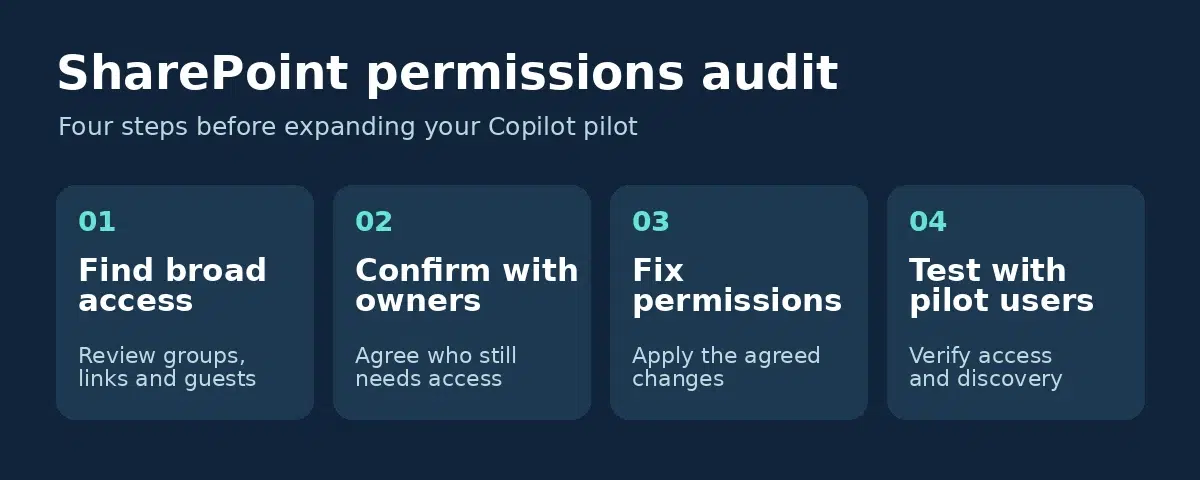
Ask for a demonstration using a sample matter with fictitious names. Have the provider show what a partner, a paralegal assigned to the matter and an unrelated staff member can each open. Then ask them to share one document with external counsel, revoke that access and show where the change was recorded. That exercise tests matter permissions, external sharing and audit evidence in one meeting.
If your files sit in SharePoint or OneDrive, ask who reviews access when a solicitor changes teams or leaves. If you use iManage or another document system, establish which settings the IT provider can change and which require the application vendor. For staff working remotely, cover multi-factor authentication, laptop encryption and the first call to make if a device goes missing. Lawcover’s cyber security guide for law practices gives practice managers a starting point for that discussion.
What happens when a solicitor is blocked before a deadline?
A quick acknowledgement tells you the ticket arrived. Ask when a technician will start work, who owns the fault if it involves the practice software vendor, and how often the solicitor will receive updates. A useful test is a 4 pm settlement with one fee earner locked out. Ask what priority that attracts, what workaround the team would try and who can escalate it as the deadline approaches.
When comparing IT support for Sydney law firms, get the service hours, urgent phone number, onsite coverage and after-hours charges in writing. Ask for the separate escalation path for a suspected compromised mailbox. The person reporting it should know whom to call even if they cannot access email.
Can the provider restore a matter file you need today?
Request a redacted report from a recent restore test. Look for the system tested, the recovery point, the time taken and confirmation that someone opened the recovered document. Ask how the result would differ for one overwritten file, an entire matter folder and a Microsoft 365 outage. Your backup and recovery agreement should identify who authorises a restore and who checks the result.

What should IT support for Sydney law firms include in the quote?
Give every shortlisted provider the same user count, office locations, software list and service hours. Ask them to separate the recurring fee from licences, onboarding, migrations, after-hours work and onsite visits. Get the handover terms in writing too, including how your firm receives its administrator credentials and documentation when the agreement ends.
If you are reviewing IT support for Sydney law firms, bring one recent support ticket and the date of your last restore test to a free IT assessment with Stanfield IT. We can use those two examples to work through your current coverage and identify the questions worth putting to every provider you shortlist.