


If you’re comparing cloud migration services in Sydney, give each provider the same list of systems and ask for two figures in Australian dollars: the cost to complete the move and the cost to run the new environment for a year. Then ask who takes the call if staff arrive on Monday and can’t access a client file. Those answers make competing proposals much easier to judge.
A file server nearing the end of its warranty is a good example. One provider might quote to copy it to a cloud-hosted server. Another might propose moving shared documents into SharePoint and retiring the server altogether. Both can meet a brief to “move our files to the cloud”. They leave you with different bills, different ways of working and different systems to maintain.
Cloud migration services in Sydney: seven providers to compare
Start with the workload you need to move. A team moving shared drives into Microsoft 365 will have different questions from one moving a database that feeds its finance software. The shortlist below includes Stanfield IT, the publisher of this guide. Each provider name links to its own service description so you can check the scope before requesting a quote.
| Provider | Published services relevant to migration | Question to take into discovery |
|---|---|---|
| Stanfield IT | Microsoft 365 migration and support. The Kennedy Partners Wealth project below shows how file migration, user access and server retirement fit together. | Who checks that each team can open the right files from its usual devices? |
| City Systems | Microsoft 365 and Azure migration, including SharePoint and OneDrive, with ongoing administration available. | Which administration tasks are included after handover? |
| Platform24 | SharePoint consulting covers content migration, workflows, staff training and ongoing support. | Can the team price permissions design and training alongside the file move? |
| Kloudify | Database and cloud data migrations, including moves to Azure and validation after transfer. | How will you prove that our reporting and applications still return the right results? |
| Macquarie Cloud Services | Migration and managed infrastructure across Azure, private cloud and hybrid environments. | Can you compare the running costs of our workloads on private cloud and Azure using the same assumptions? |
| Lead IT | Cloud consulting and migration planning for organisations moving existing systems and data. | Which systems would you move first, and what must stay connected to the office during the transition? |
| Cloud Native | Cloud migration, backup and disaster recovery. Its managed service plans offer 24/7 support. | Which incidents are covered during cutover and which require a separate support plan? |
What to send Sydney cloud migration providers for a comparable quote
Tell providers what a successful first day looks like. For a professional services firm that might mean reception can scan documents into a client folder, advisers can open them from home and only the finance team can see invoices. Ask the person who actually does each job to test it during the pilot. A successful file count tells you little about whether those people can work.
Include user and site numbers, data volumes, current licences and the dates you need to work around. Identify the applications that read or write the data. An accounts package, scanner or spreadsheet with links to a shared drive can affect the proposed design. Flag anything you haven’t measured and ask the provider to price discovery before committing to delivery.

Cloud migration costs: compare the first year and the ongoing bill
Ask for the one-off project price, a representative monthly bill after handover, and any temporary costs while both environments are running. Put each quote on the same GST basis. Check which licences you already pay for and which ones will genuinely end. Counting both the full cost of a replacement licence and the cost of the licence it replaces can distort the comparison.
For example, suppose quote A is $12,000 upfront plus $1,600 a month, while quote B is $18,000 upfront plus $1,000 a month. With twelve full months of service, the totals are $31,200 and $30,000 respectively. These illustrative figures assume the same scope and exclude GST. If B leaves after-hours work and backup unpriced, you still need those amounts before choosing. Also ask for the second-year total so a temporary discount is visible.
Migration quote checklist
Use these seven checks at the quote review. Record the answer beside each proposal and have the provider carry agreed changes into the statement of work.
- Discovery. Ask who inventories users, applications, data, permissions and dependencies. Request a copy of the findings, the proposed destination for each workload and a list of decisions still awaiting your approval. Confirm whether you can use the discovery report if another team delivers the move.
- One-off fees. Separate design, pilot, migration tooling, engineering, testing, training and decommissioning. Mark each line as fixed price, estimated hours or time and materials. Ask who can authorise extra hours and whether the estimate includes weekend rates.
- Ongoing cloud costs. Request monthly quantities and rates for licences, hosting, storage, backups, data transfer and managed support. Ask what changes if headcount or storage grows by 20 per cent and who will see an unexpected increase on the bill.
- Exclusions. Check responsibility for unsupported applications, vendor fees, rebuilding permissions, device setup and old hardware disposal. For each exclusion, record the owner, likely cost and whether it must be completed before staff can use the new system.
- Downtime. Request the interruption window in Sydney local time for each affected team. Distinguish read-only access from a complete outage. Agree who tells users when to stop making changes, when they can resume, and what happens if the move overruns.
- Rollback responsibility. Name the person who can call off the move and the engineer responsible for restoring service. Agree on a decision deadline, the latest recovery point and how the team will reconcile records entered after the switch. Ask whether rollback labour is included.
- Post-migration support. Put the support period, hours, contact channel and escalation owner in writing. Define the difference between fixing a migration defect and a chargeable change. Ask who takes over once project support ends and what documentation they receive.
What a cloud migration looks like at Kennedy Partners Wealth
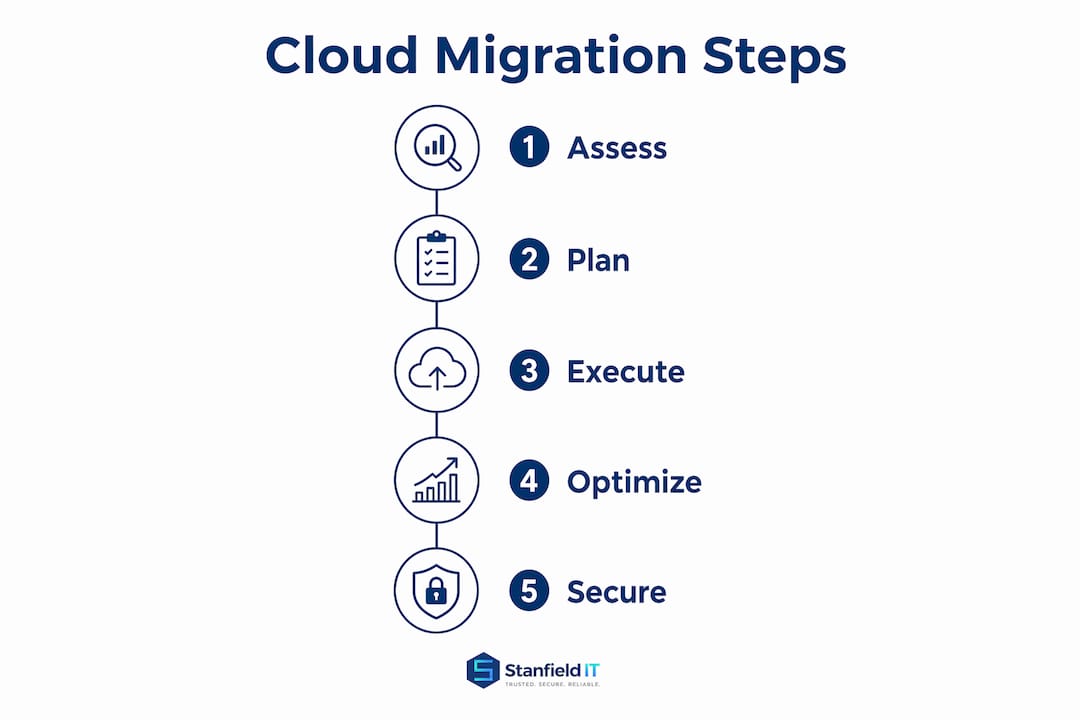
Stanfield IT moved Kennedy Partners Wealth’s files to SharePoint and migrated user identities from on-premises Active Directory to Azure AD. The old servers were then retired, securely wiped and recycled. The Kennedy Partners Wealth case study describes the migration and the ongoing managed IT arrangement.
For a similar project, look for three separate deliverables in the quote: files available in the agreed locations, people able to sign in with the right access, and a documented decision to retire the hardware. A quote limited to copying data leaves someone else to take responsibility for the other two. Agree who signs off before the old servers are wiped.
Questions to settle before signing a migration quote
How much downtime should we allow?
Ask for a pilot using a representative workload. Have the provider measure the final copy, test sign-in and time the business checks needed before staff regain access. Use those results to agree a cutover window and the latest time to switch back. The time needed to transfer all historical data can be quite different from the time staff lose access.
Can we keep an application on the old server?
Ask the application vendor to confirm supported hosting arrangements and identify anything the application needs from the old environment. If it stays behind, request a separate price for maintaining it, backing it up and keeping access working. Give that exception a review date so everyone knows when the old equipment can be retired.
What should we ask for at handover?
Request the final inventory, administrator access arrangements, backup and restore test results, unresolved issues and the support contact. Have a business owner confirm that staff can complete their normal tasks. If an issue remains open, agree who owns it, when it will be reviewed and whether the old system must remain available in the meantime.

Planning your Sydney cloud migration
If email, shared files or user access are central to the move, see our Microsoft 365 support and migration services. For a scoping conversation, bring your current systems list, an approximate user count and the deadline driving the project. We can work through what needs to move, what can stay and what your quote should cover.