


Windows 10 End of Life: What Australian Businesses Should Do Now
Windows 10 support has ended. Here is how to manage the security, compliance and productivity risk while moving your business to Windows 11 or a supported alternative.
The direct answer
Windows 10 end of life means Microsoft ended standard support for Windows 10 on 14 October 2025. Windows 10 devices may still turn on and staff may still be able to work, but they no longer receive normal Windows security updates, feature updates or standard technical support. The main business options are to upgrade eligible PCs to Windows 11, replace incompatible hardware, use Extended Security Updates as a short-term bridge, or move legacy workloads to a supported cloud or virtual desktop environment.
Why Windows 10 end of life matters
For most businesses, the problem is not that Windows 10 suddenly stops working. The bigger risk is that unsupported systems become harder to defend over time.
When an operating system stops receiving regular security updates, newly discovered vulnerabilities may remain unpatched. That creates a growing gap between the threats your business faces and the protection your devices can realistically maintain.
Operating system patching is a core cyber security control. The Australian Signals Directorate includes patching operating systems in its Essential Eight guidance, and its broader patching advice sets timeframes for operating systems depending on exposure and threat level.
For businesses handling sensitive data, financial records, client information, health information or regulated workloads, unsupported endpoints can also create uncomfortable questions around cyber insurance, supplier assurance, privacy obligations and incident response.
What changed after 14 October 2025?
Microsoft’s lifecycle information confirms that Windows 10 reached end of support on 14 October 2025 and that Windows 10 version 22H2 is the final version for standard Windows 10 releases. Microsoft’s Windows release health information also states that the October 2025 monthly security update was the final update for the last supported Windows 10 versions.
In practical terms, standard Windows 10 business devices should now be treated as end-of-life unless they are covered by Extended Security Updates or a separate lifecycle such as a qualifying LTSC release.
No normal Windows fixes
Standard Windows 10 devices no longer receive normal monthly operating system security and quality updates.
No feature updates
Windows 10 version 22H2 is the final standard Windows 10 version, so there is no ongoing feature roadmap.
No standard support
Businesses should plan around Windows 11, replacement hardware, ESU or a supported cloud option.
The risks of keeping Windows 10 in production
Unsupported Windows 10 devices can create risk across security, compliance, user productivity and recovery planning.
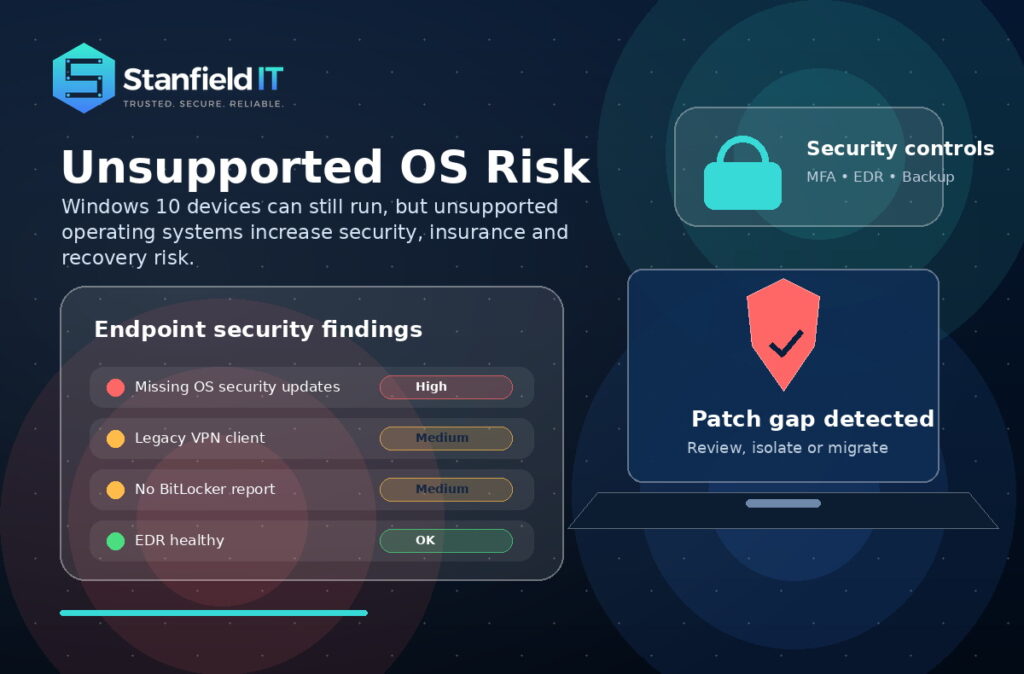
- Security exposure: New vulnerabilities may be discovered after the support period, but standard Windows 10 devices will no longer receive normal fixes.
- Insurance and compliance pressure: Insurers, clients and auditors may ask whether unsupported operating systems are present in your environment.
- Vendor support gaps: Line-of-business applications, endpoint security tools, drivers and management platforms may gradually reduce support for Windows 10.
- Incident response complexity: If a compromised device is running an unsupported operating system, containment and recovery can become slower and more expensive.
- Productivity issues: Microsoft 365 apps and third-party software may keep running for a time, but reliability and compatibility issues can become more common.
Your options at a glance
| Option | Best for | Pros | Watch-outs |
|---|---|---|---|
| Upgrade to Windows 11 | Eligible modern PCs | Keeps devices supported and improves the security baseline. | Requires readiness checks, application testing and deployment planning. |
| Replace the device | Older or incompatible PCs | Improves performance, warranty coverage and device lifecycle. | Requires budget, procurement and user rollout coordination. |
| Use Windows 10 ESU | Short-term transition gaps | Provides critical and important security updates for enrolled devices. | Not a long-term solution and does not include full support or new features. |
| Isolate or retire | Legacy or special-purpose systems | Reduces risk while a replacement or migration path is planned. | Needs strong access control, monitoring and a clear retirement date. |
| Move to cloud or virtual desktop | Legacy access or remote teams | Can support a controlled transition without keeping risky endpoints exposed. | Requires licensing, identity, network and security planning. |
Is Windows 10 Extended Security Updates enough?
Windows 10 Extended Security Updates, or ESU, can reduce risk while you complete a transition, but it should not be treated as a permanent strategy.
For commercial organisations, Microsoft describes Windows 10 ESU as a paid annual subscription for enrolled PCs. Microsoft says ESU includes critical and important security updates, but does not include new features, customer-requested non-security updates or general technical support.
Microsoft lists commercial Windows 10 ESU at US$61 per device for Year One, with pricing doubling each consecutive year for a maximum of three years. That makes ESU useful as a bridge, not a comfortable place to stay.
Our recommendation
Use ESU only where there is a genuine transition reason, such as a legacy application, staged hardware replacement, budget timing or operational dependency. Every ESU device should have an owner, a reason, stronger controls and a planned exit date.
Will Microsoft 365 still work on Windows 10?
Microsoft 365 apps such as Word, Excel, Outlook and Teams may continue to run on Windows 10, but that does not make the underlying Windows 10 operating system supported.
Microsoft says Microsoft 365 Apps on Windows 10 will receive feature updates and eligible Copilot support until Version 2608, then remain on that version with security updates only until 10 October 2028.
The key distinction is simple: Microsoft 365 app security updates are not the same as Windows 10 operating system support. A business device can have updated Office apps while still running an unsupported OS.
Can every Windows 10 device upgrade to Windows 11?
No. Some Windows 10 devices will not meet Windows 11 requirements.
Microsoft’s Windows 11 requirements include a supported processor, 4 GB RAM, 64 GB storage, UEFI with Secure Boot capability, TPM 2.0, compatible graphics and other requirements. Microsoft also provides PC Health Check and Windows Update eligibility checks to help determine whether a device can upgrade.

For business environments, eligibility should not be left to individual staff members. It should be handled through an IT audit and technology assessment or endpoint management review so leadership can see the full picture.
A practical Windows 10 migration plan
The safest path is to treat Windows 10 end of life as a business risk project, not just a technical upgrade.

-
Audit every device
Identify every Windows 10 endpoint, including laptops, desktops, shared workstations, reception PCs, warehouse devices, meeting room machines and rarely used offsite devices.
-
Group devices by action
Separate devices into upgrade, replace, temporary ESU, retire and isolate categories. This turns a messy upgrade problem into a clear roadmap.
-
Test business-critical applications
Check accounting software, practice-management systems, CRM platforms, CAD tools, VPN clients, security agents, printers, phone integrations and browser-based tools before a broad rollout.
-
Protect data before changing devices
Confirm that desktop data, documents folders, OneDrive sync, browser profiles, Outlook signatures and line-of-business data are backed up and recoverable. Stanfield IT can also review backup and disaster recovery before migration.
-
Roll out in waves
Start with a pilot group, then move through low-risk users, standard office users, power users, shared devices and legacy-dependent machines. Each wave should include communication, support capacity and a rollback plan.
-
Strengthen security at the same time
Use the migration to review MFA, conditional access, endpoint detection and response, Microsoft Defender, BitLocker, local admin rights, device compliance, patching, email security and recovery testing.
-
Remove Windows 10 from the environment
Update procurement rules, endpoint policies, support documentation and lifecycle reporting so Windows 10 does not quietly return to production later.
How Stanfield IT can help
Stanfield IT helps Australian businesses move away from unsupported systems with less disruption and clearer ownership. The outcome is not just “new Windows”. It is a cleaner, safer and more manageable environment.
Readiness and risk
We can help with Windows 10 device audits, Windows 11 readiness checks, cyber security risk assessments, Essential Eight uplift planning and executive reporting.
Migration and support
We can assist with hardware replacement planning, Microsoft 365 support and migration, Intune, endpoint management, user rollout and help desk support.
Frequently asked questions
What does Windows 10 end of life mean?
Windows 10 end of life means Microsoft has ended standard support for Windows 10. Devices may still run, but they no longer receive normal feature updates, quality updates, security fixes or technical support.
Can my business keep using Windows 10?
Technically yes, but it is not recommended as a long-term business strategy. Unsupported Windows 10 devices carry growing security, compliance and operational risk unless they are covered by ESU and managed as part of a migration plan.
What is Windows 10 ESU?
Windows 10 ESU stands for Extended Security Updates. It allows eligible enrolled Windows 10 devices to receive critical and important security updates after standard support has ended. It does not provide full support or new features.
Should we buy ESU or upgrade to Windows 11?
Most businesses should upgrade eligible devices to Windows 11 or replace incompatible hardware. ESU is best used as a temporary bridge for devices that cannot move immediately due to application, operational or budget constraints.
Will Microsoft 365 still work on Windows 10?
Microsoft 365 apps may continue to work on Windows 10, and Microsoft has announced security updates for Microsoft 365 Apps on Windows 10 until 10 October 2028. This does not mean Windows 10 itself remains fully supported.
Can old PCs be upgraded to Windows 11?
Some can, but not all. Windows 11 has hardware requirements including TPM 2.0, Secure Boot capability, a supported processor, memory and storage requirements. Businesses should run a fleet-wide readiness check before planning upgrades.
What is the biggest risk of staying on Windows 10?
The biggest risk is running an operating system that no longer receives normal security updates. Over time, that can increase exposure to malware, ransomware, data breaches, insurer scrutiny and vendor support issues.
How long does a Windows 11 migration take?
Timing depends on device count, application complexity and replacement requirements. A small business with modern devices may move quickly, while larger or legacy-heavy environments should plan a staged rollout with testing and support.
Do we need to replace every Windows 10 PC?
Not always. Some devices can upgrade to Windows 11. Others may need replacement. A device audit will show which machines are upgrade-ready, which are too old, and which should be retired or temporarily covered by ESU.
Where should we start?
Start with an IT audit and Windows 11 readiness review. Once you know which Windows 10 devices remain, which apps they run and which users rely on them, you can build a safe, staged upgrade plan.
Sources and further reading
- Microsoft Lifecycle: Windows 10 Home and Pro
- Microsoft Windows release health: Windows 10 release information
- Microsoft Learn: Windows 10 Extended Security Updates
- Microsoft Learn: Windows 10 end of support and Microsoft 365 Apps
- Microsoft Support: Windows 11 system requirements
- Australian Signals Directorate: Patching applications and operating systems
Ready to move on from Windows 10?
Unsupported systems create avoidable risk. Get a clear plan for your devices, users, Microsoft 365 environment and security controls.
